
4. Search
This step finds the messages of one sender with /, then goes from one match to the next. Start with the focus on the list, as at the end of step 3.
Search
Section titled “Search”Press gg, then /. The bottom bar becomes a line that starts with /. Type liskov and press Enter.
Checkpoint
Section titled “Checkpoint”You should see the selection on the first message from Barbara Liskov, Subject 5: photos from the trip, and this in the bottom bar:
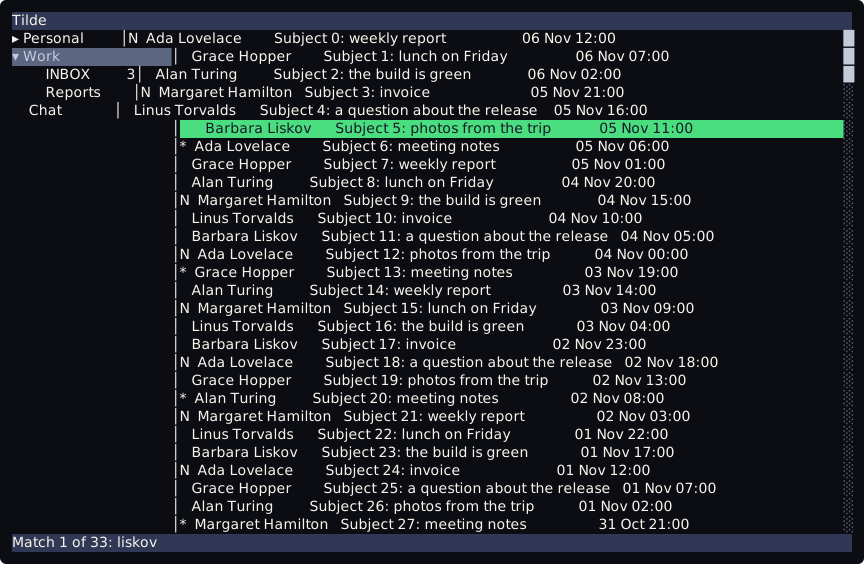
Match 1 of 33: liskovThe case does not matter: liskov finds Liskov. The search looks at the sender and the subject of each message in the list.
| Press | The bar says |
|---|---|
n |
Match 2 of 33: liskov |
N |
Match 1 of 33: liskov |
N |
Match 33 of 33: liskov (search hit the top) |
n goes to the next match and N to the previous one. Past the first or the last match the search starts again at the other end, and the bar says so.
Now search for a text that no message has: press /, type zzz and press Enter. The bar says:
No match for 'zzz'Esc on the search line closes it and searches nothing. The search does not look at the text of the messages. More is on Search.
Next: 5. Write and send.