
Use tt
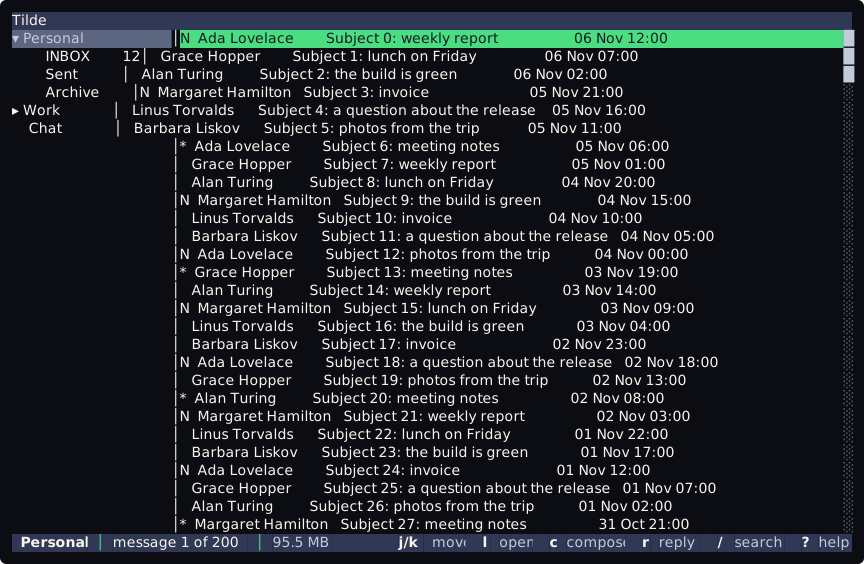
These pages explain tt, the terminal interface of Tilde. tt opens one screen: a top bar, the tree of the mail accounts and their folders on the left, the messages of the selected account or folder on the right, newest first, and a bottom bar that says where you are (message 3 of 200, with the account and the keys) or what the last command said. Every key but Ctrl-c is a command bound in keybind.lua, with vim keys first and the keys of the keyboard as aliases. tt --demo shows made-up accounts and messages, so every page can be tried without an account. For a guided walk, start with the tutorial.
| Page | What it answers |
|---|---|
| Keys and counts | Which keys move in the list and in the tree, how a count works, and how do I quit? |
| The command line | How do I run a command with :, and which keys edit the line? |
| Search | How do I find a message with /, and what do n and N do? |
| Folders and the reader | How do I open a folder, and how do I read a message? |
| What waits for me | How do I see the unread mail, and what about mentions and direct messages? |